
If your Webex desk phone displays missed call notifications, follow the steps below to clear them and return to the main screen.
Step 1: Open Phone Settings
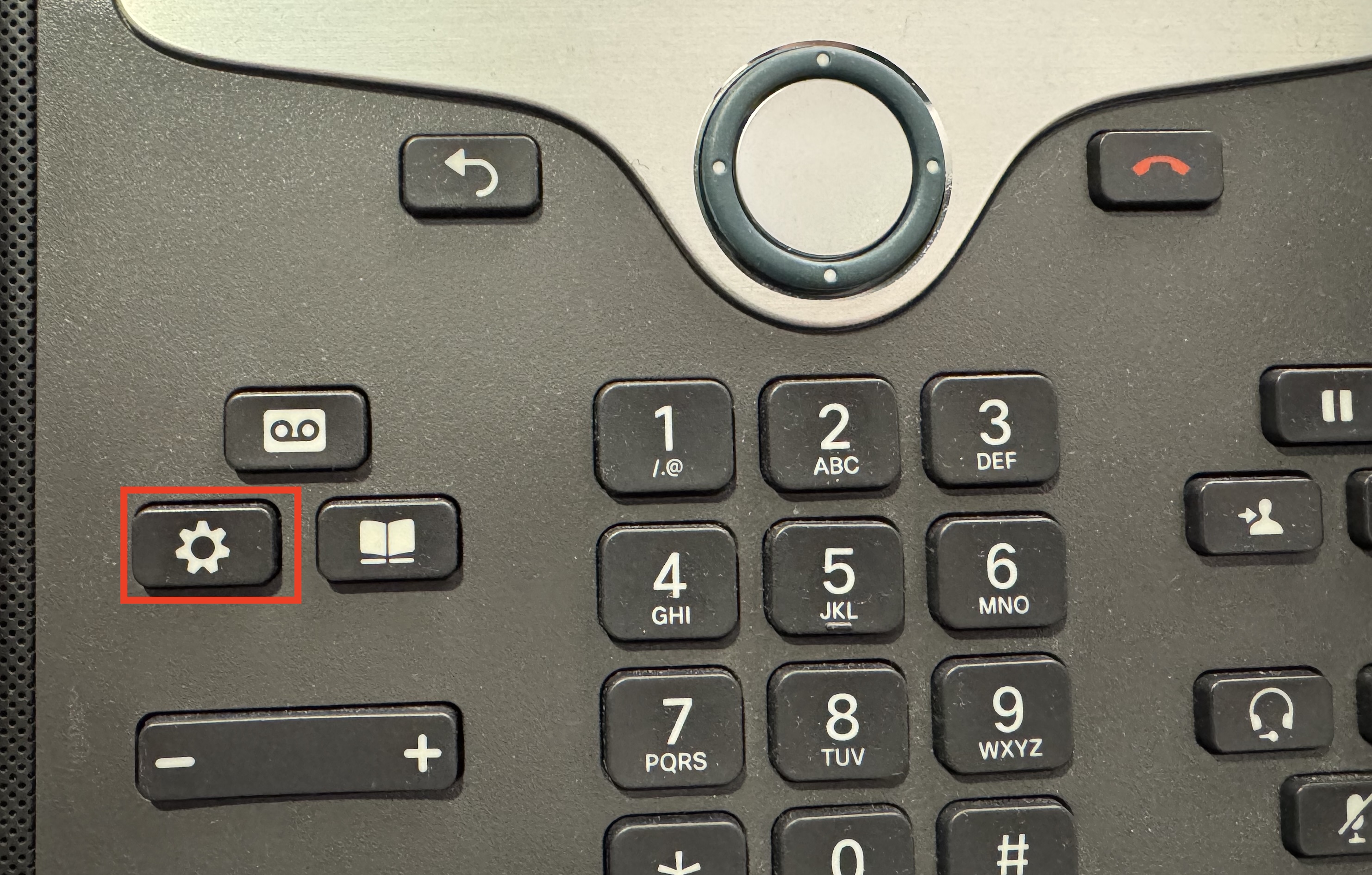
- Press the Settings button on your Webex desk phone.
Step 2: Access Recent Calls
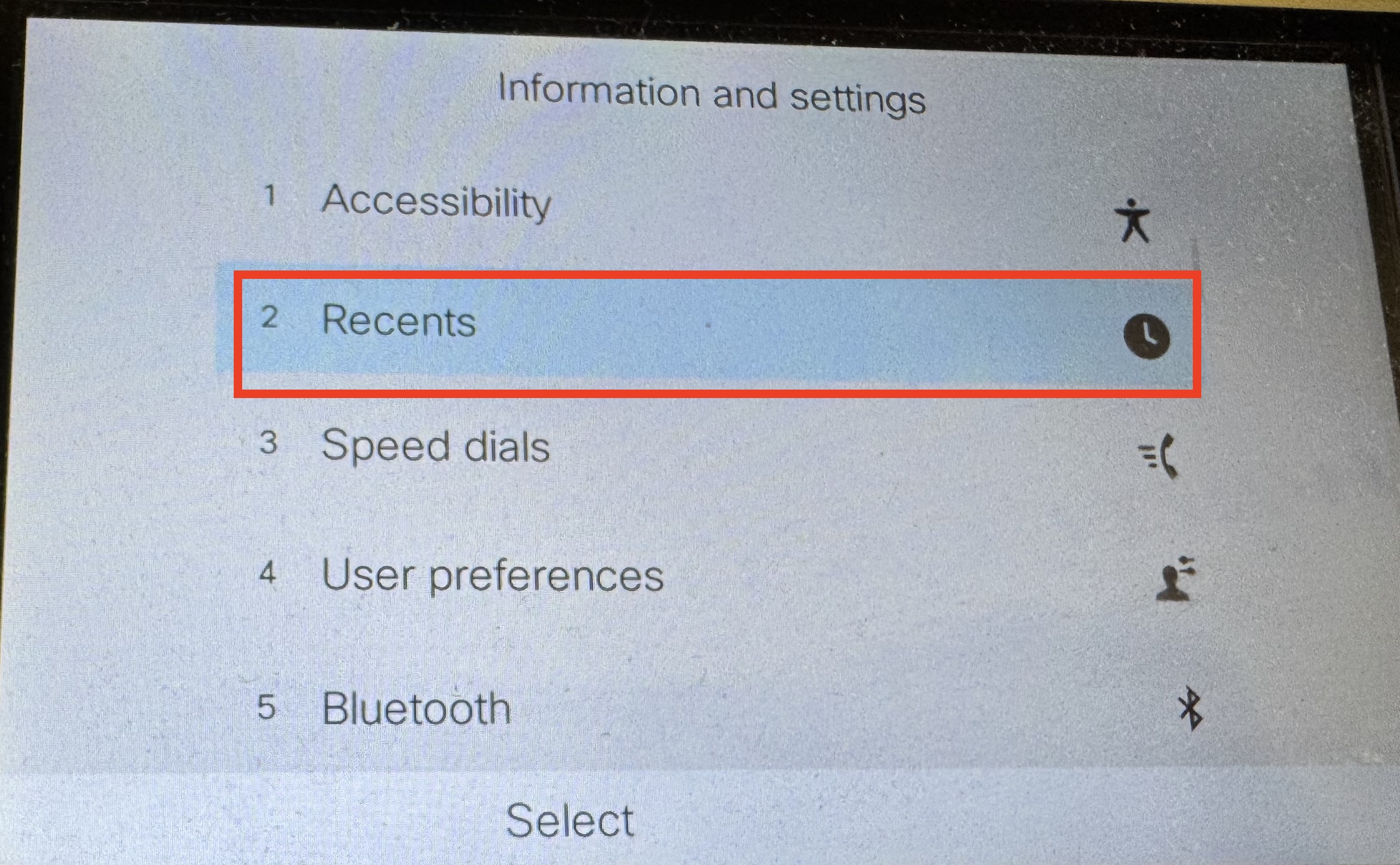
- Use the navigation buttons to select Recents, or press 2 on the keypad.
Step 3: View Missed Calls
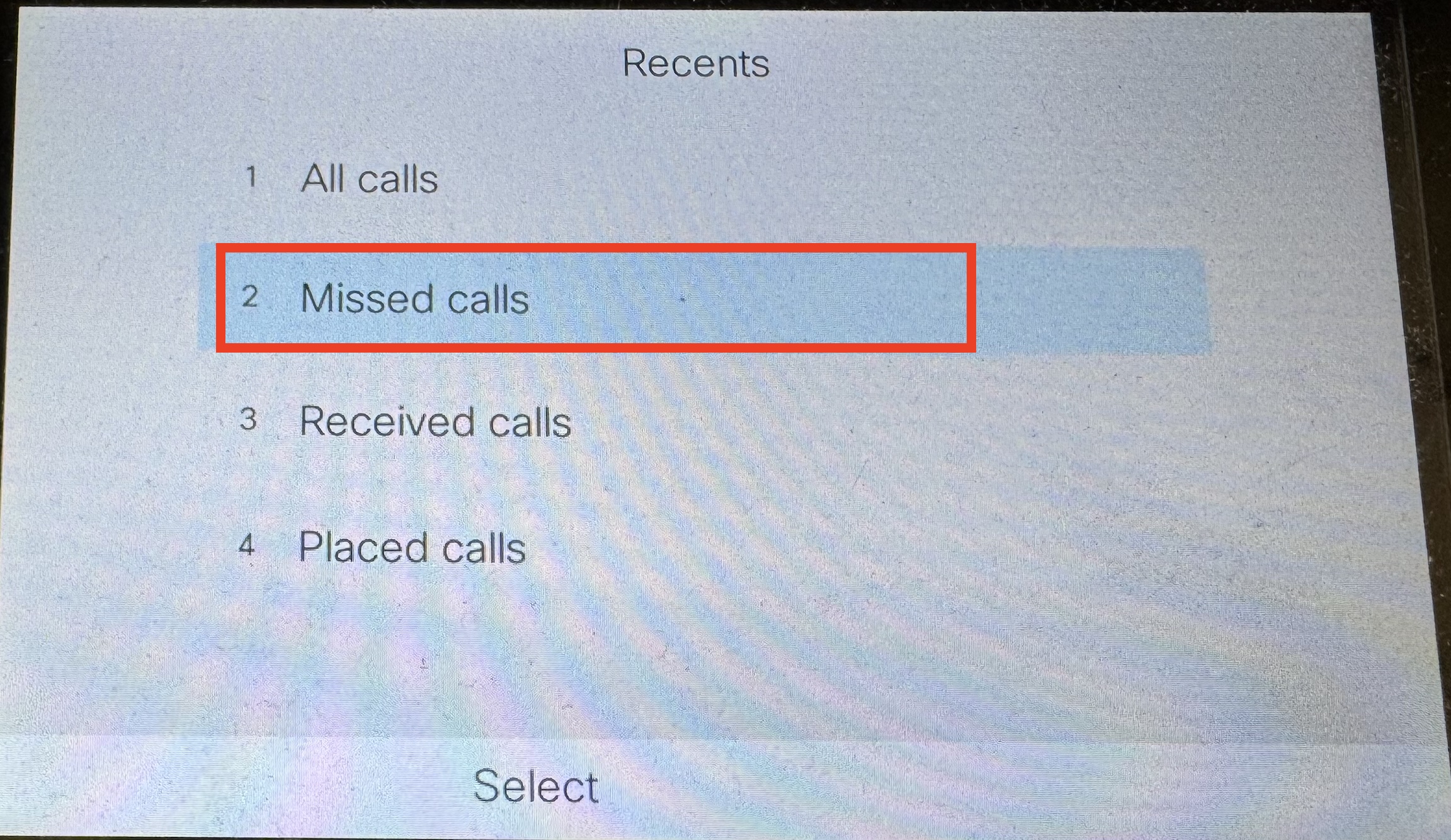
- Select Missed Calls, or press 2 again.
Step 4: Return to the Main Screen
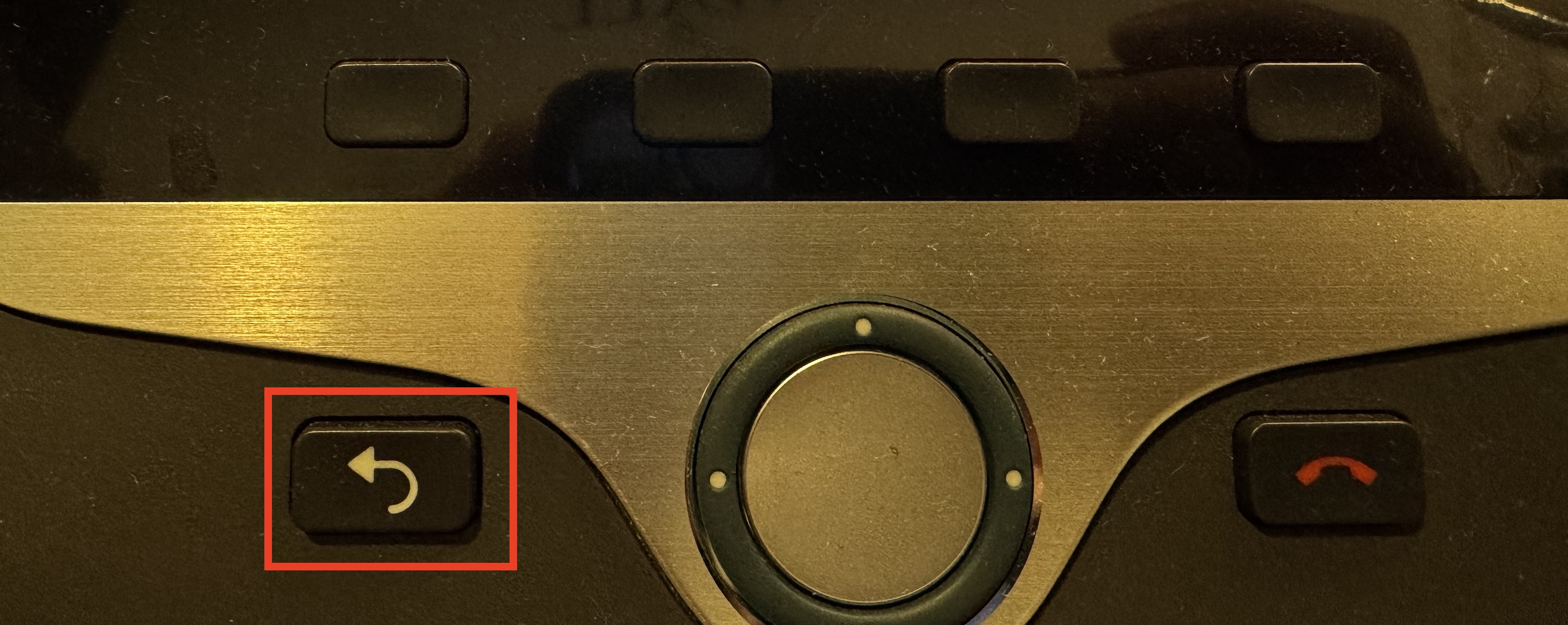
- Once you have viewed your missed calls, press the Go Back key to return to the main screen.
If you continue to experience issues, please submit a technology help desk ticket or email us at helpdesk@kinkaid.org, and we will be happy to assist you promptly.