
If you’ve sent a print job to Secure Print Online, but it does not appear on the copier, follow these steps to resolve the issue.
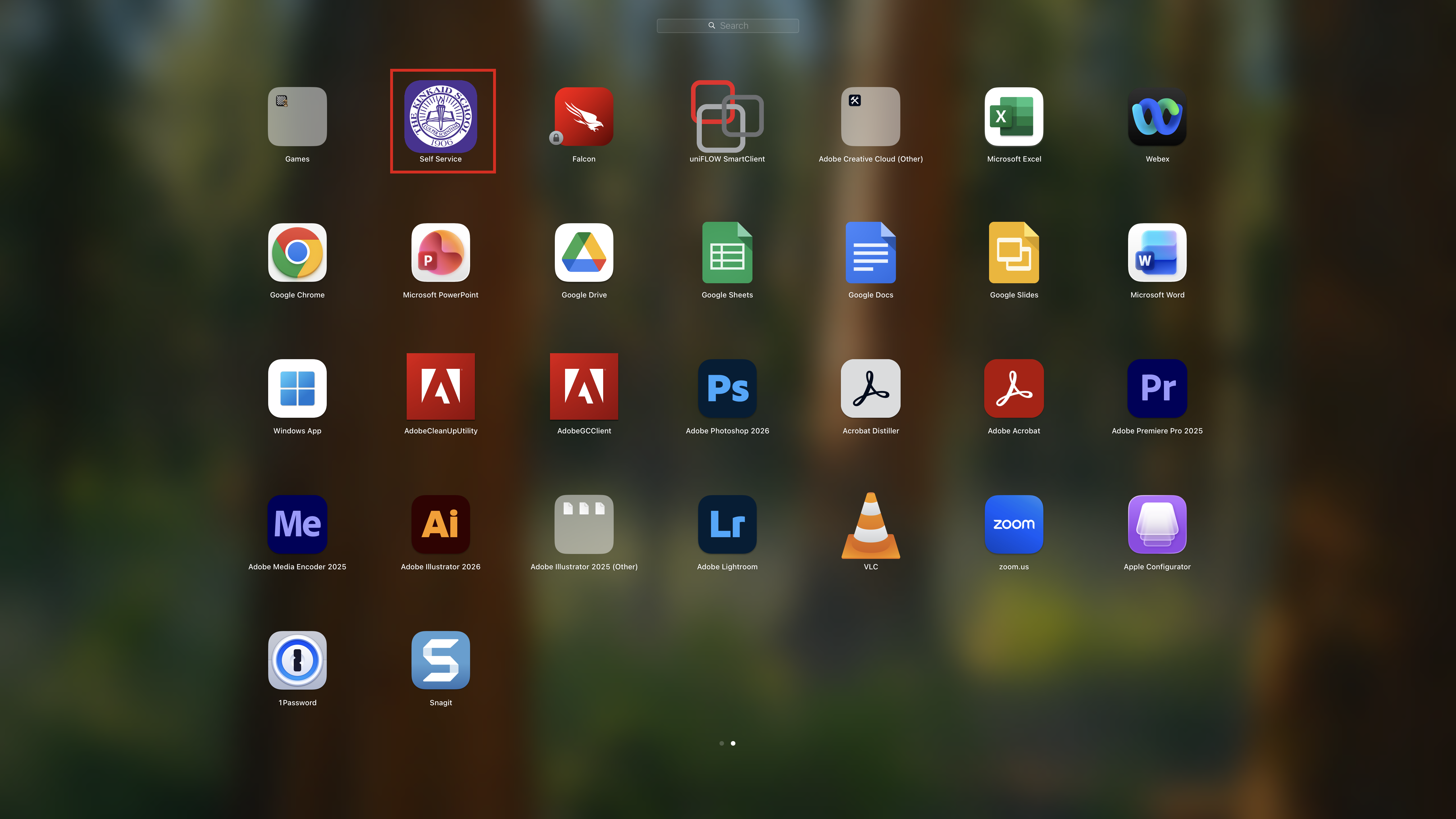
1: Open the Kinkaid Self Service app.
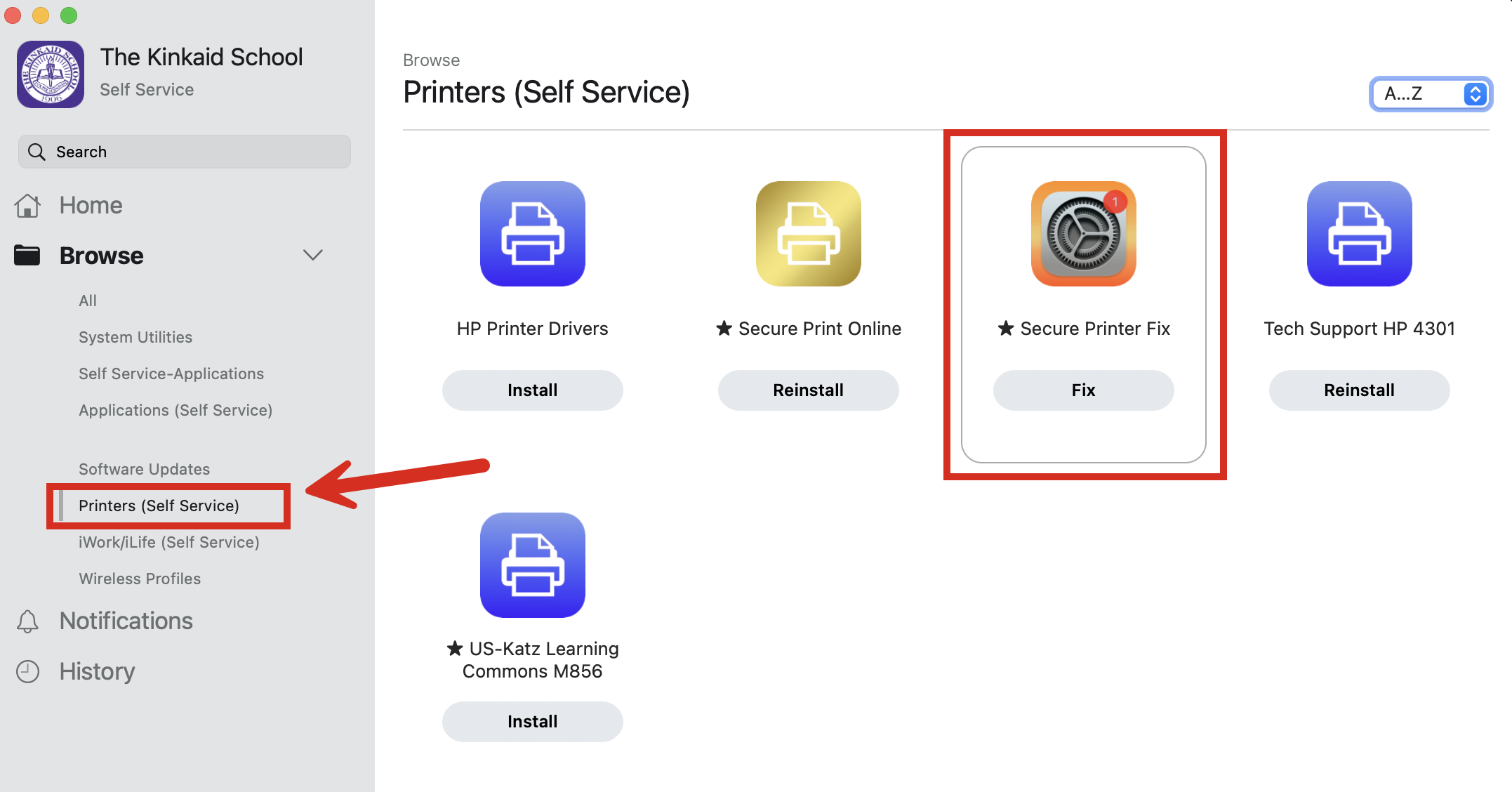
2: Select Printers (Self Service) and then locate Secure Printer Fix.
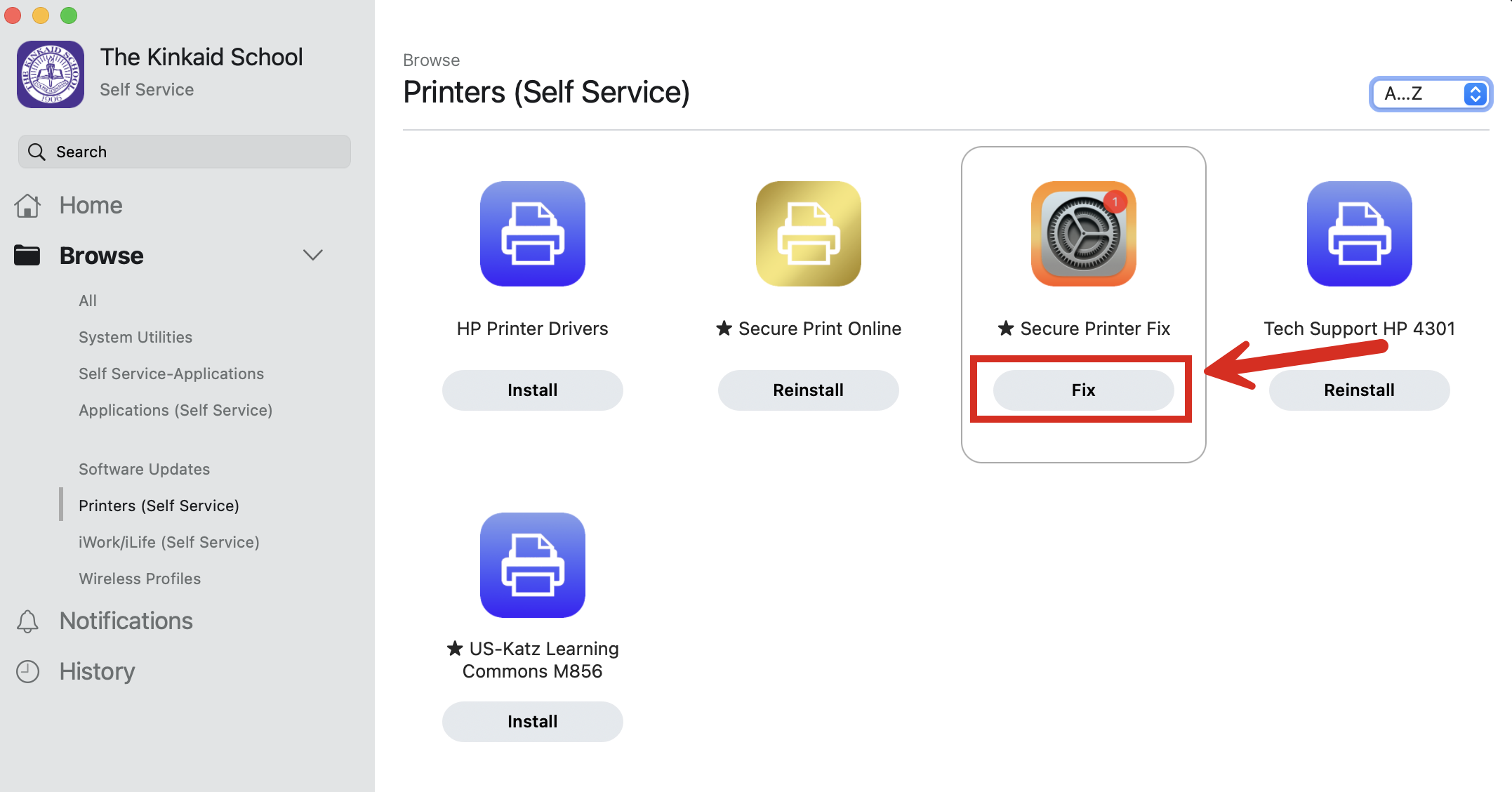
3: Select Fix.
Step 4: Attempt to print to the Secure Printer.
Still having issues? Please email us at helpdesk@kinkaid.org