
Common Reasons Canvas Won't Open
- Incorrect Instructure website: Navigate directly from your Google Apps icon.
- Incorrect Login: Make sure your are signed into your Kinkaid account in Google.
- Webpage will not load: Delete your web browser's cookies/cache, or try a different web browser.
If you are still unable to open Canvas, follow the steps below to navigate to Canvas without needing to manually sign in.
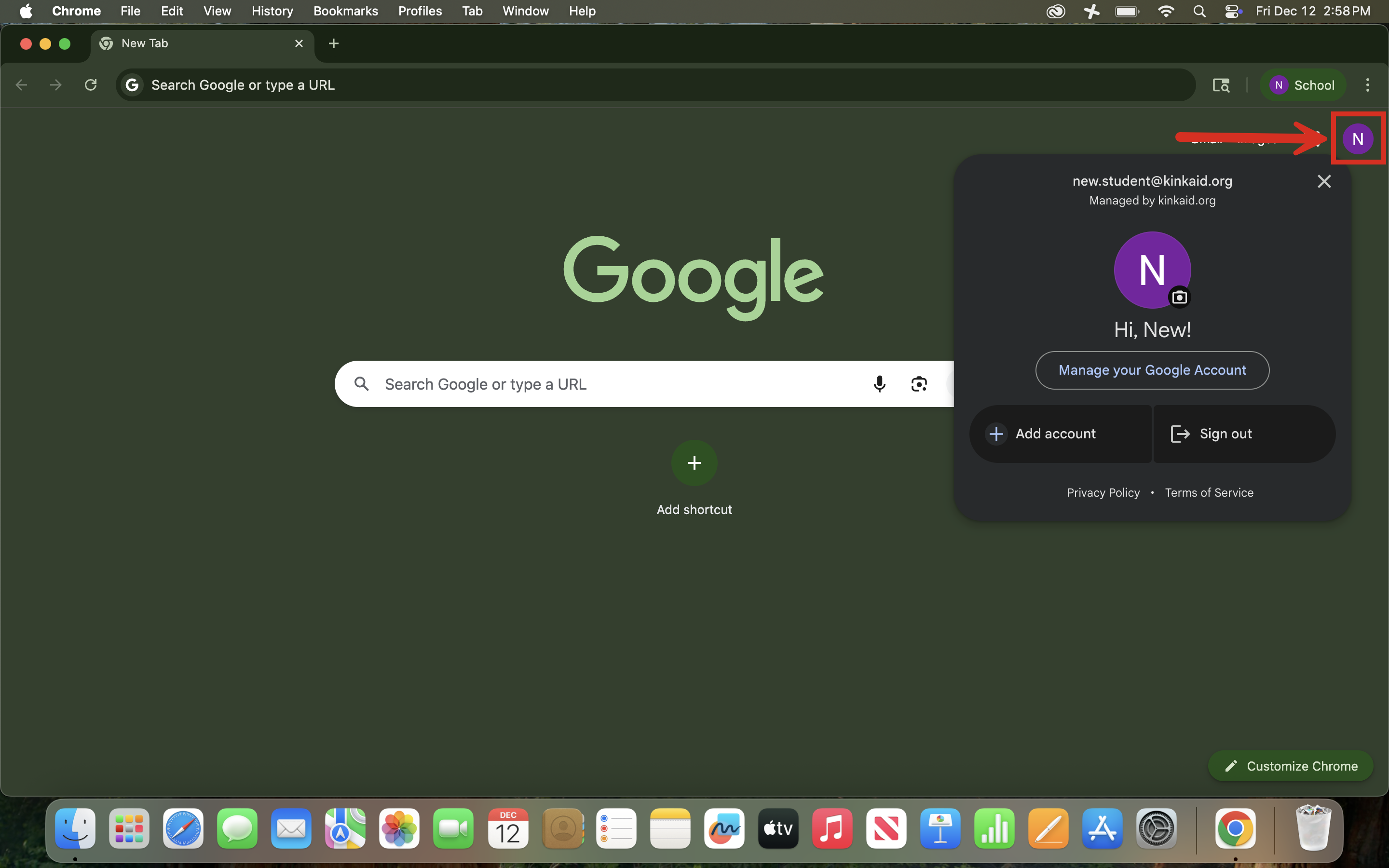
1. Sign In to Your Google Account.
Make sure you are signed into your school-issued Google account in your Chrome browser.
- You can check this by clicking your profile icon in the top-right corner of the browser.
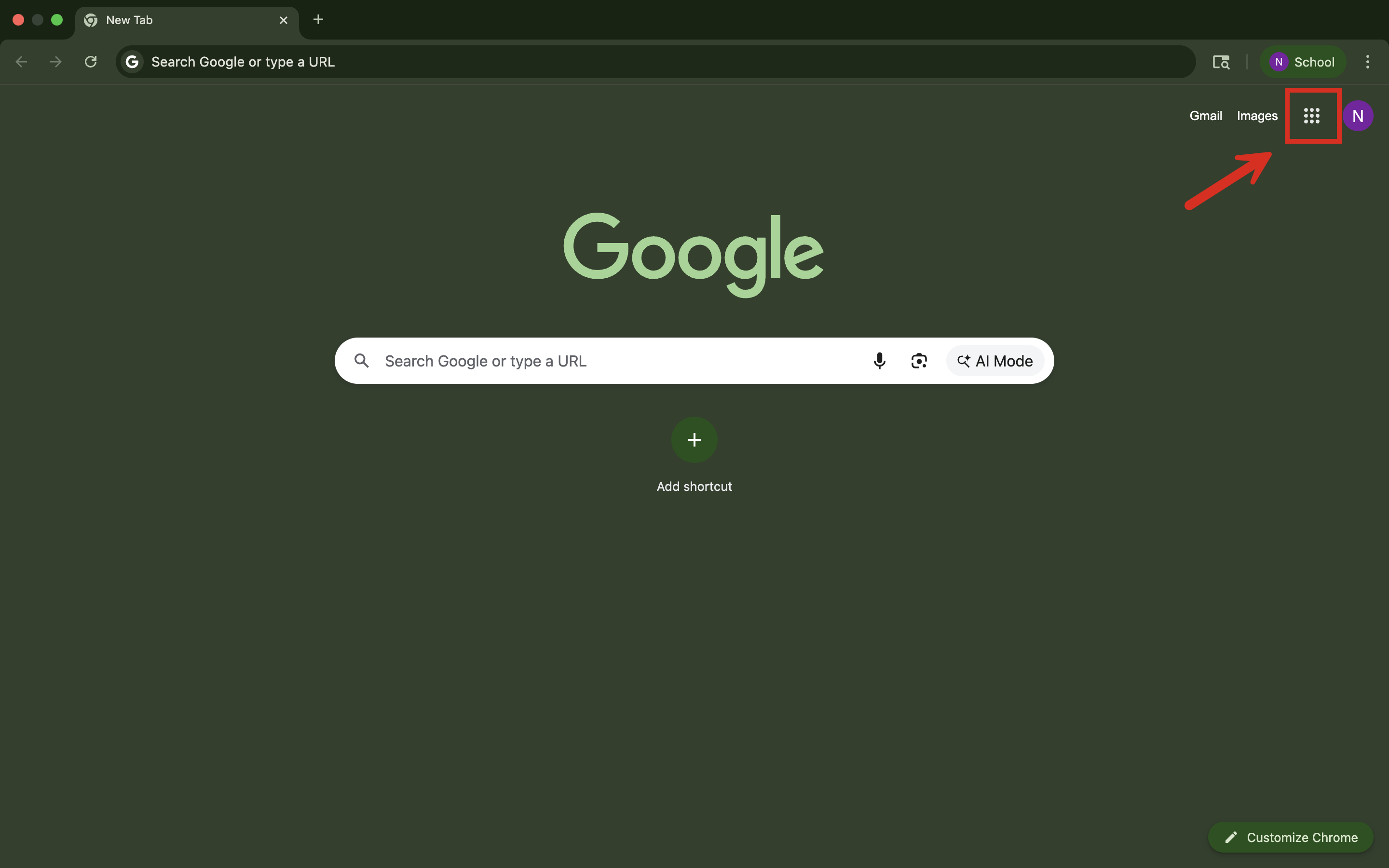
2. Navigate in the Google Apps Menu.
- In the top-right corner of your browser window, click the Google Apps icon (the nine-dot waffle icon).
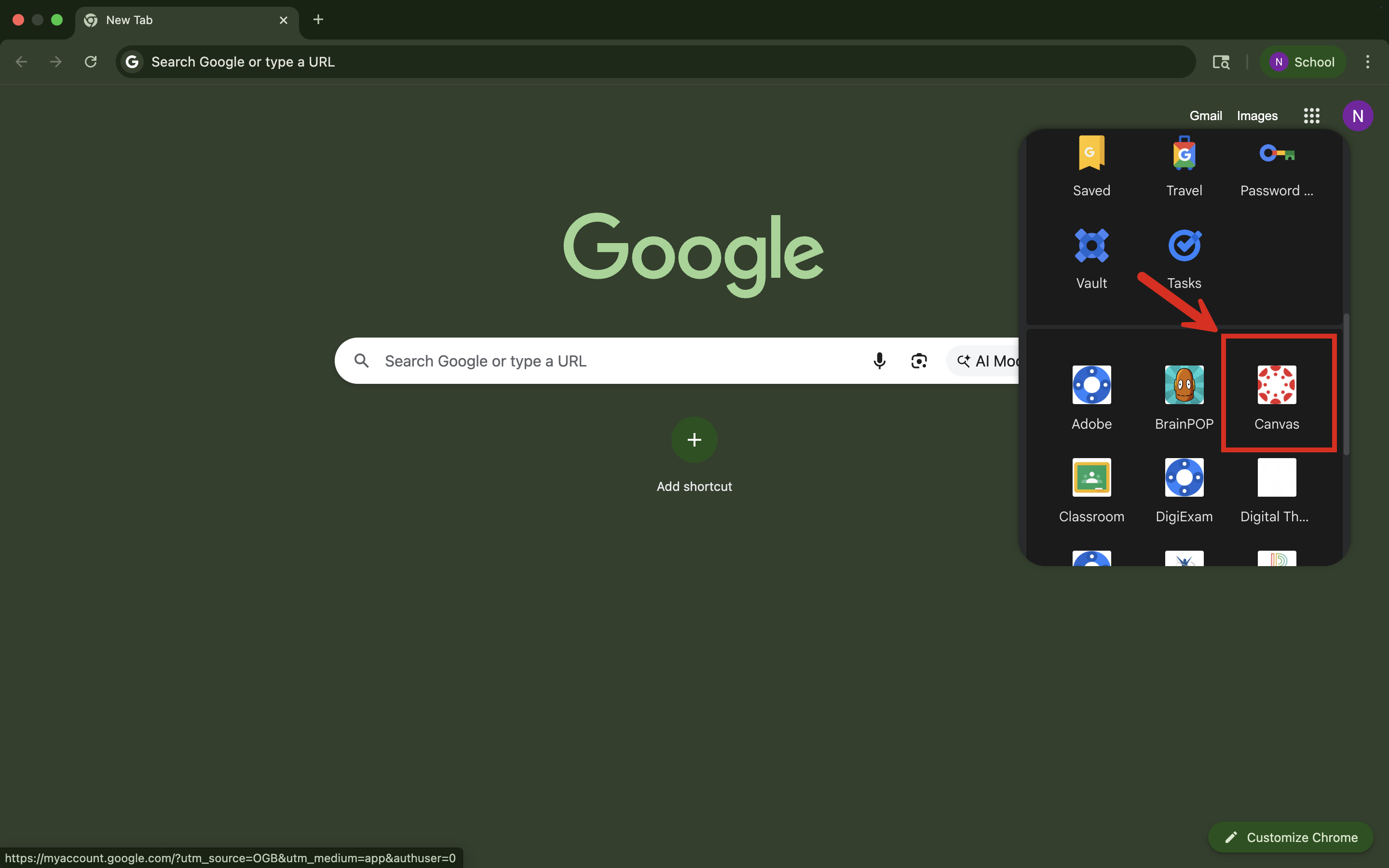
Scroll down through the list of available apps and select Canvas.
3. Access Your Canvas Dashboard
- After clicking Canvas, you should be automatically signed in.
Still having issues? Please email us at helpdesk@kinkaid.org