
Common Reasons Offline Access Isn’t Working
- Not using Google Chrome or Microsoft Edge: Use the Google Chrome web browser.
- Offline access is not enabled: Enable through Google Drive's settings.
- The file type is not supported for offline use or the file is not marked “Available offline.
If you need Google Drive documents available without internet, follow the steps below.
1. Confirm You Are Using Google Chrome and Signed In.
- Open Google Chrome.
- Go to drive.google.com.
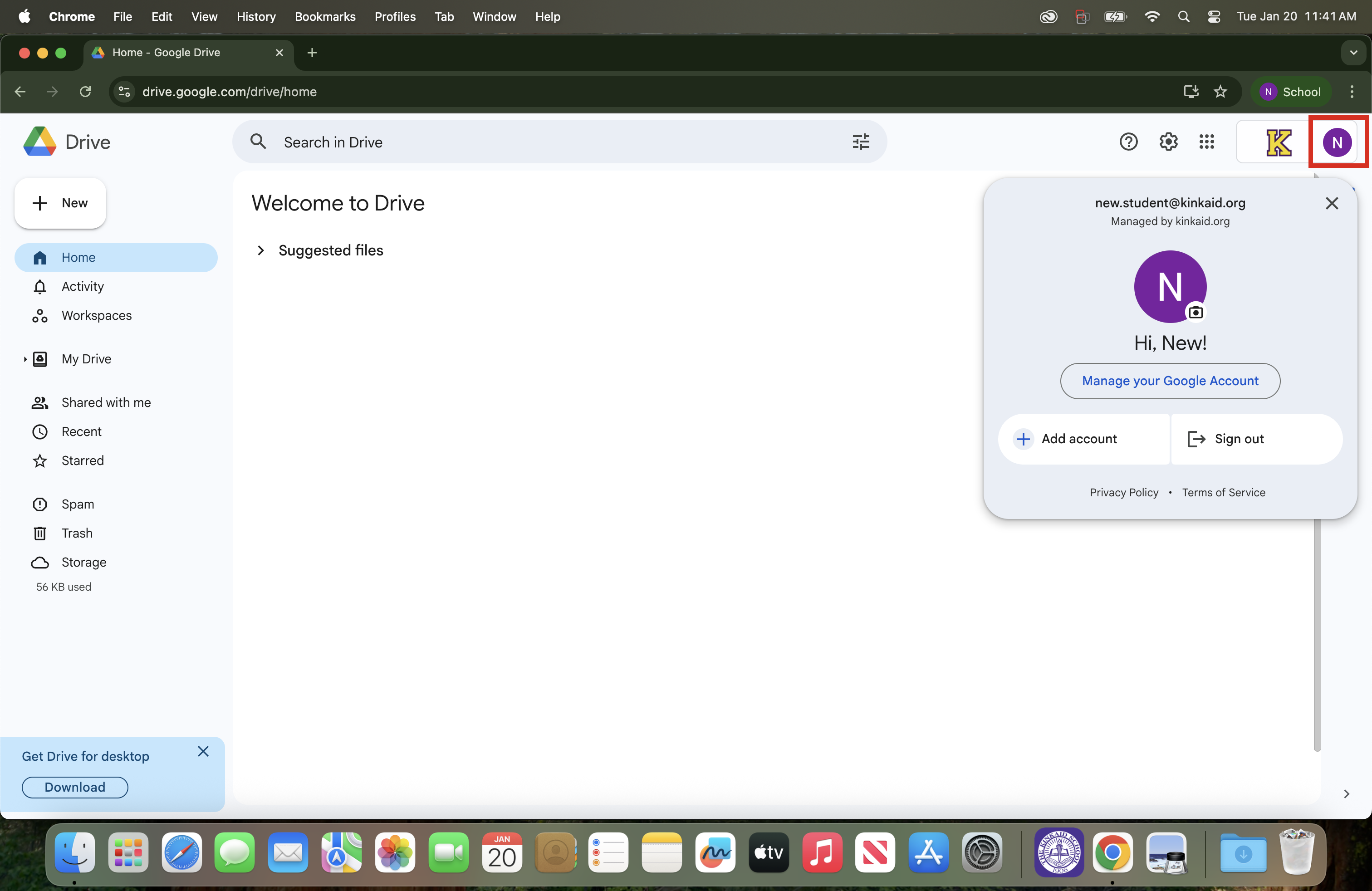
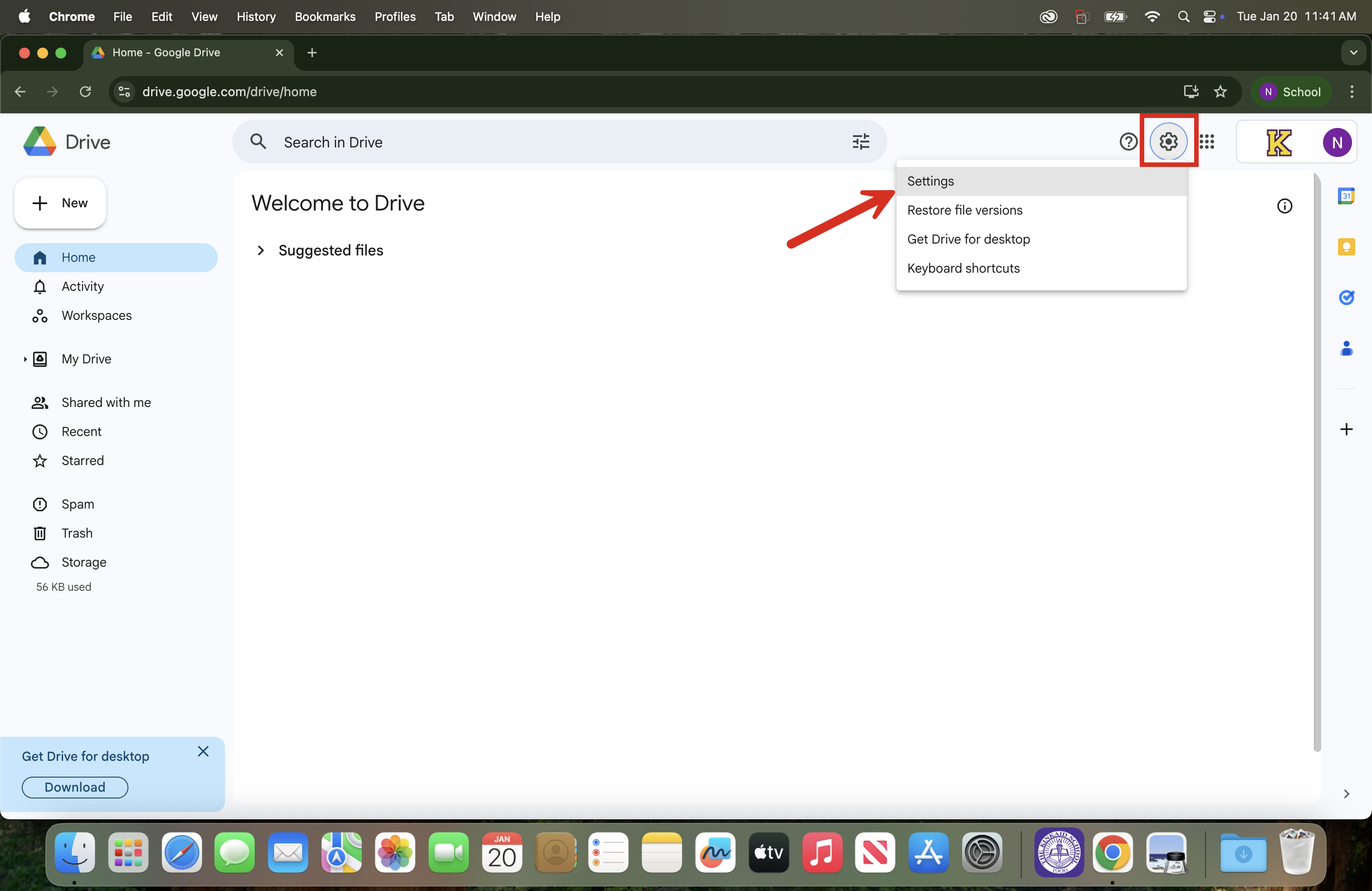
2. Open Settings for Google Drive.
- In Google Drive (drive.google.com), click the Gear icon (top-right).
- Select Settings.
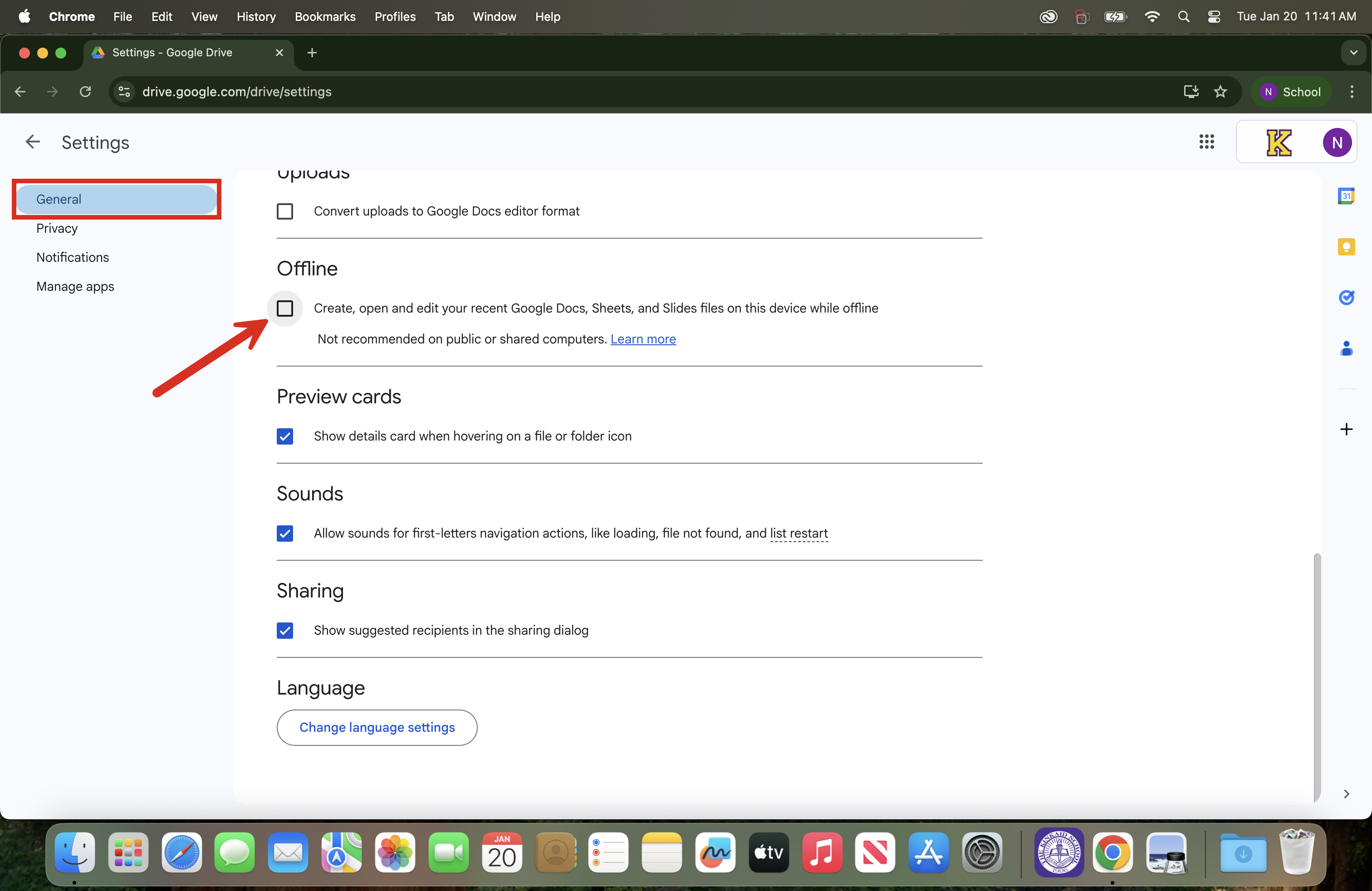
3. Turn On Offline Access.
- Check the box for “Create, open, and edit your recent Google Docs, Sheets, and Slides files on this device while offline.”
Still having issues? Please email us at helpdesk@kinkaid.org