Logo

Kinkaid Technology

Welcome
Login  Sign up
Home Solutions
Login or Signup to submit a new ticket
Check ticket status
Solution home Software Zoom

How do I start a Zoom meeting? Print

Modified on: Mon, Jan 19, 2026 at 7:28 PM


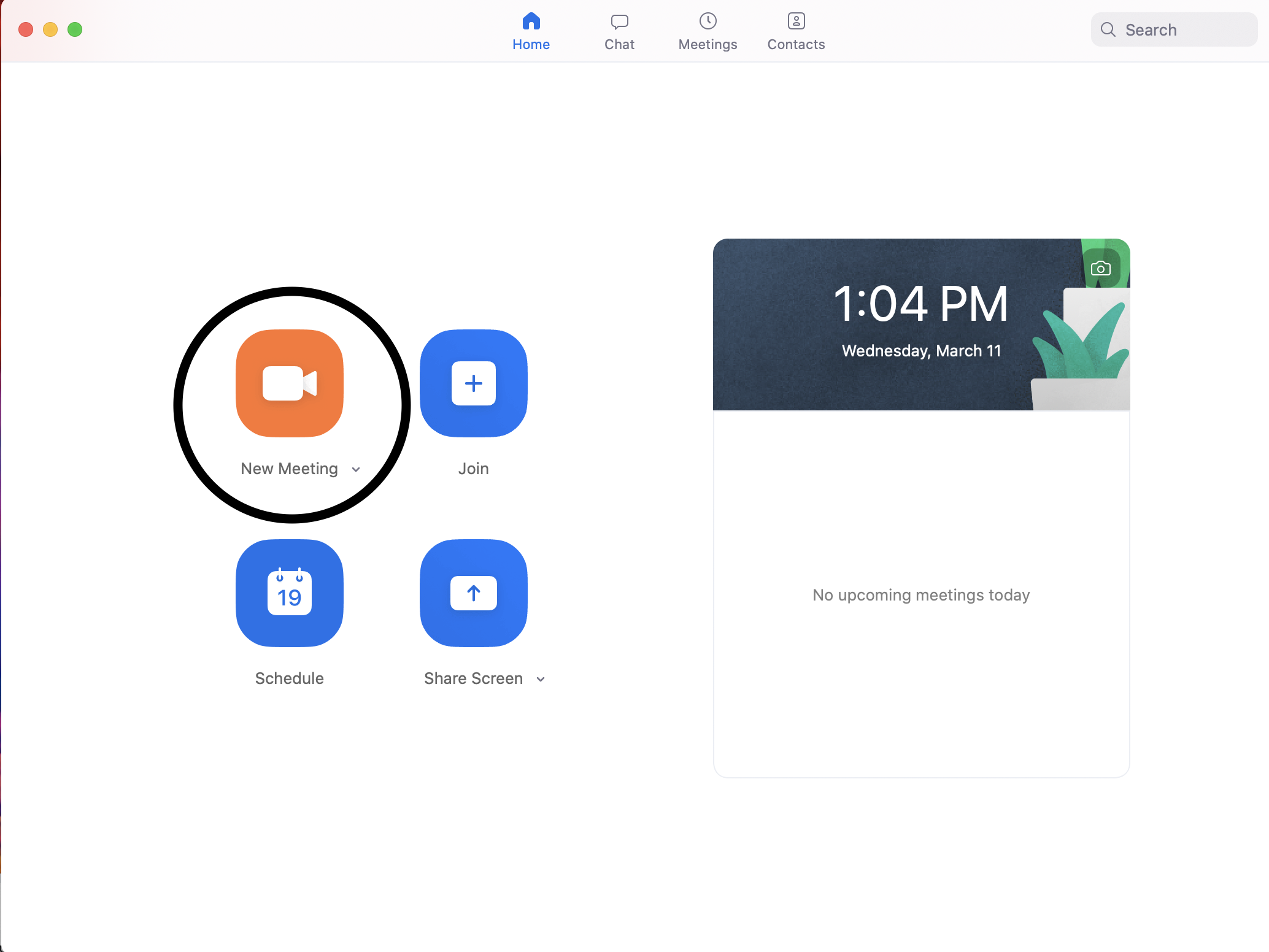
Open the Zoom application 


Select New Meeting

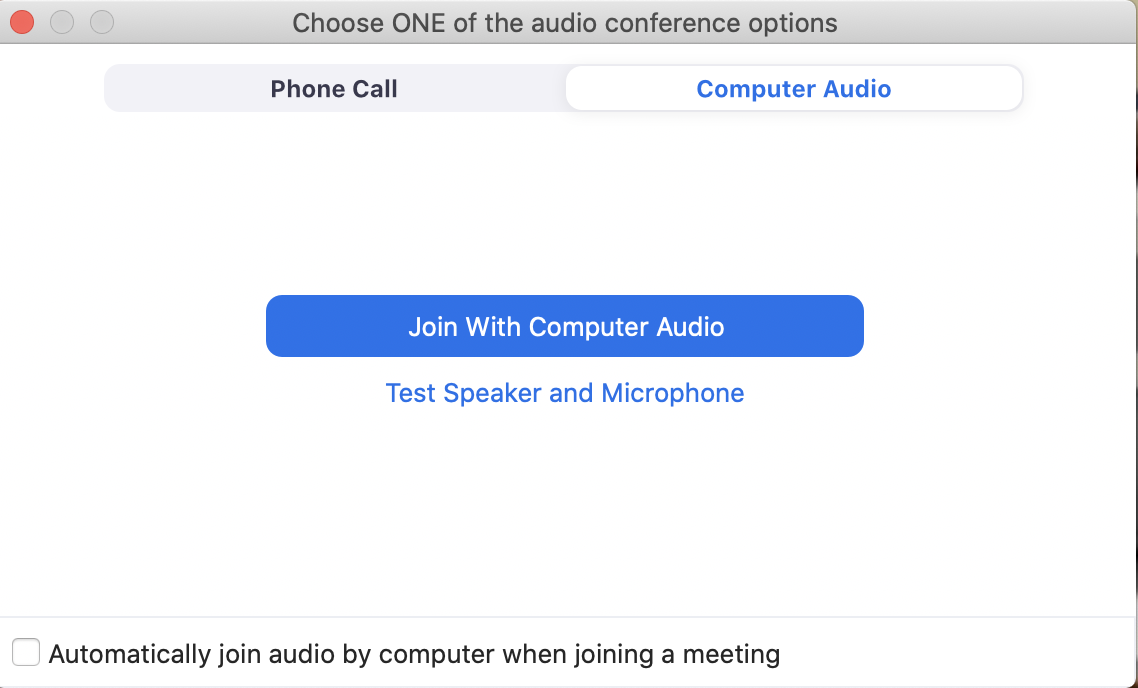
You will be prompted to enable the audio on your computer


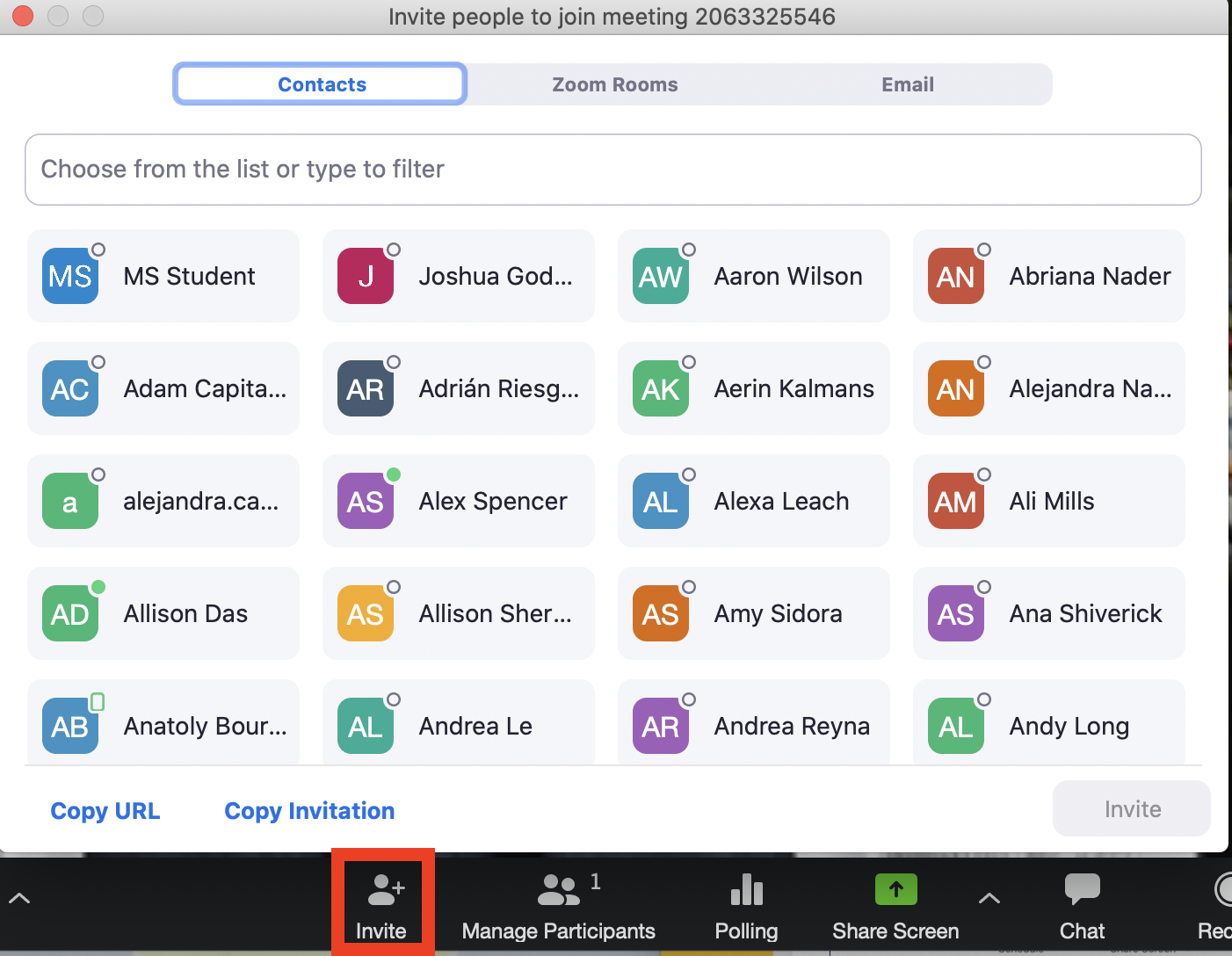
Once it's open, select Invite


All of the available kinkaid.org email accounts will appear. Select all that you wish to have a meeting with and click "Invite"


Still having issues? Please email us at helpdesk@kinkaid.org


Did you find it helpful? Yes No

Send feedback
Sorry we couldn't be helpful. Help us improve this article with your feedback.

Related Articles

    Home Solutions Cookie policy
    Help Desk Software by Freshdesk
    Article views count