
Common Reasons Your Wireless Printer Is Not Printing
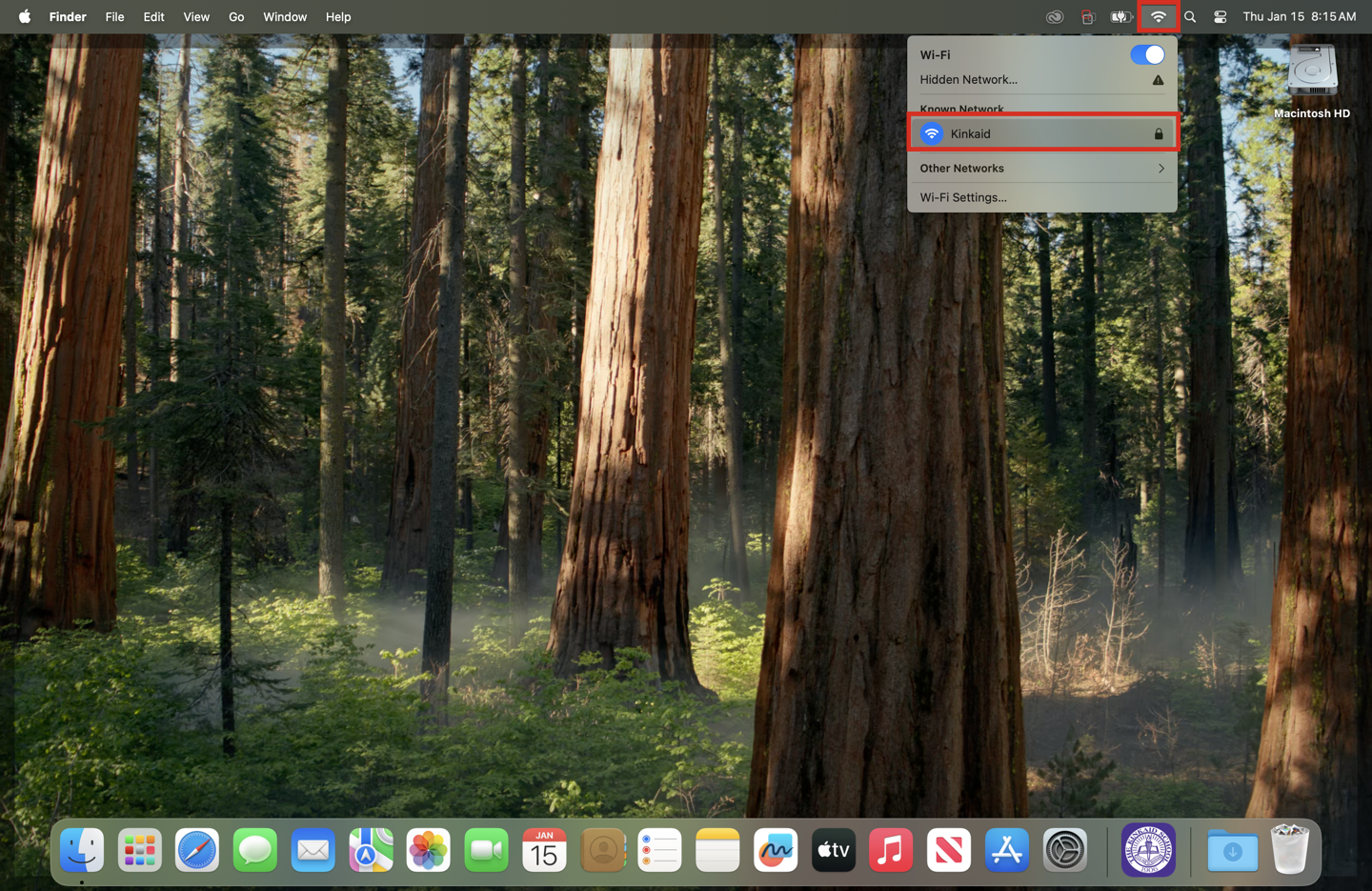
- Not on the correct network connection: Connect to the Kinkaid network (not Kinkaid Guest).
- Printer is not responding: Turn off/on the printer.
- Your MacBook hasn't been restarted: Restart your computer.
If you're unable to print to a wireless printer, follow the steps below to ensure you're able to print.
1. Ensure you're on the Kinkaid network.
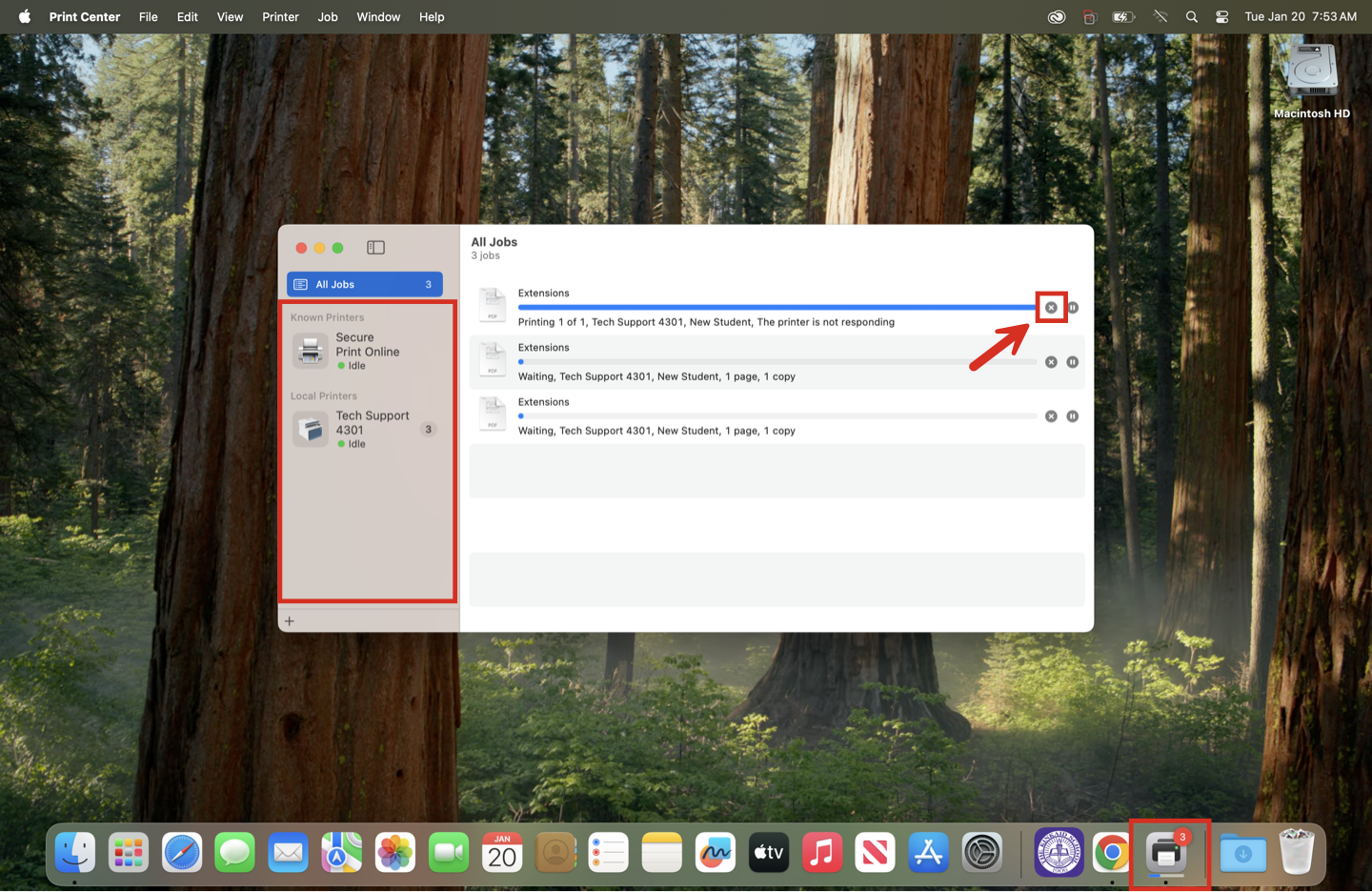
2. Clear the print queue (for all printers).
3. Ensure there is paper in the tray.
- Sometimes the paper tray needs to be closed. Opening and closing it securely often fixes that issue.
4. Reboot both devices.
- Turn off and back on the printer.
- Turn off and back on your computer.
Still having issues? Please email us at helpdesk@kinkaid.org