
In order to disable/remove an extension from your Google Chrome, please follow the steps below.
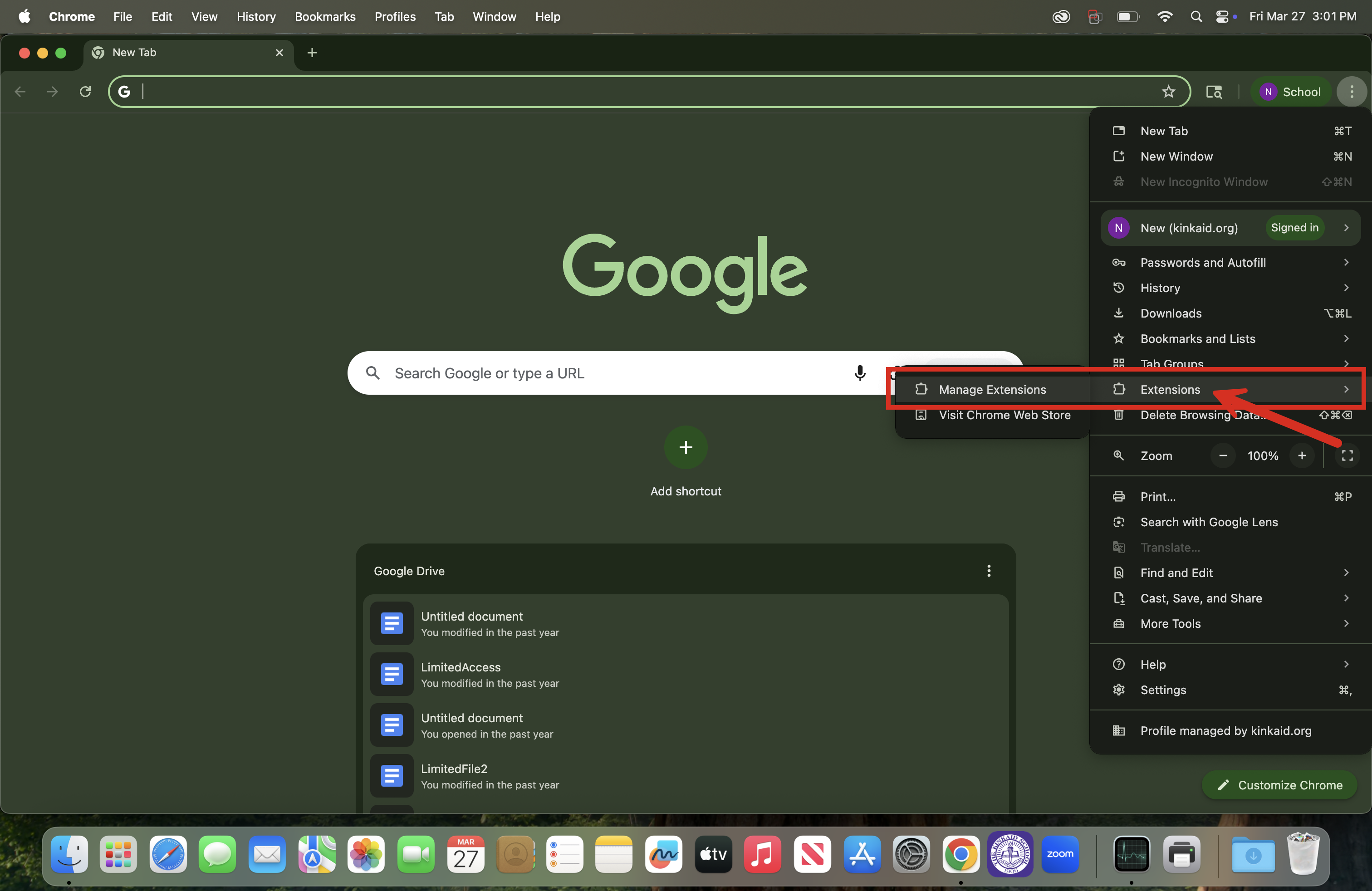
1. In Chrome at the top right, click Extensions  Manage Extensions.
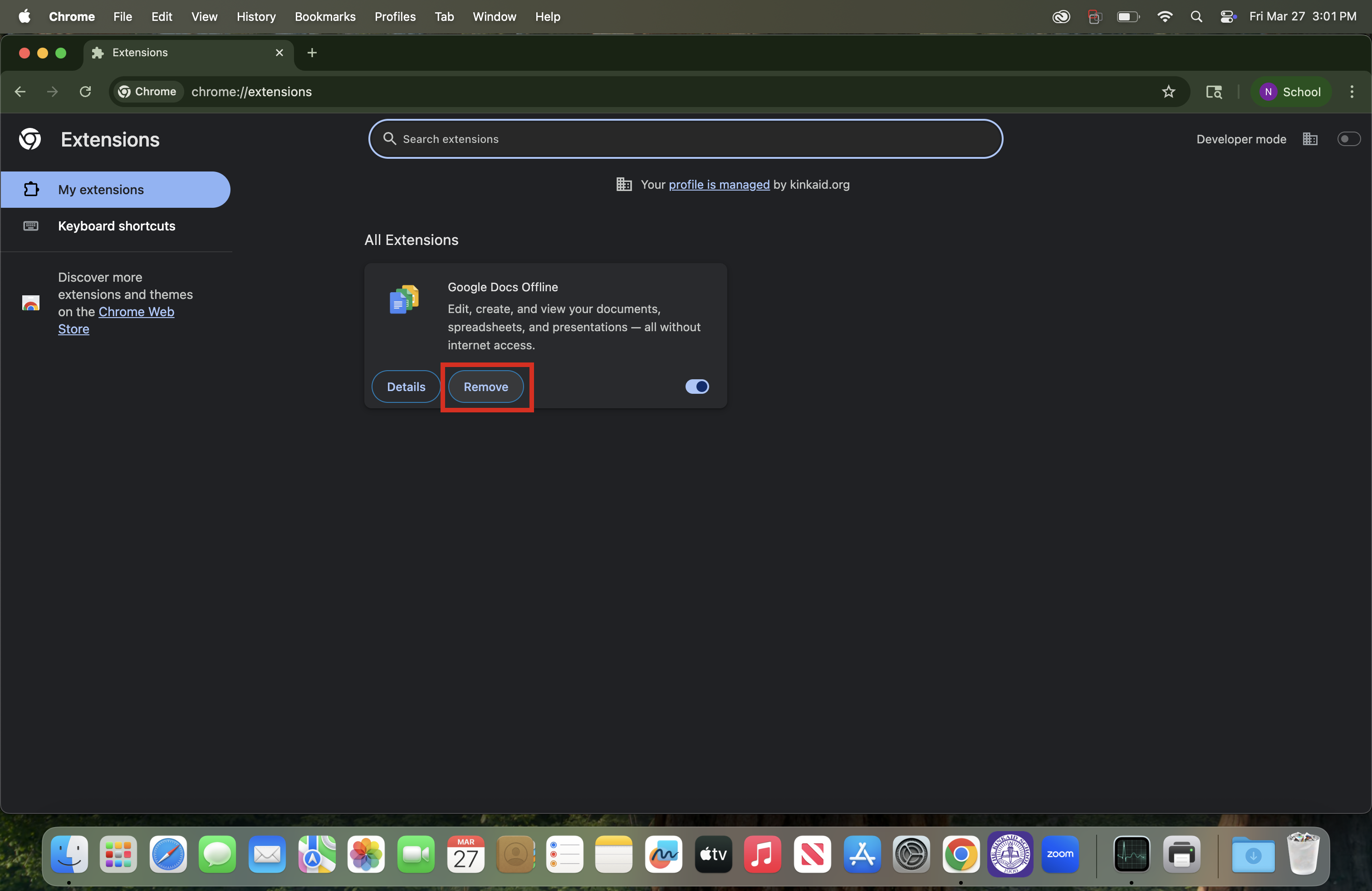
2. On to the extension you want to remove, click Remove.
- Optional: To disable the extension instead, toggle it off to the right of the Remove selection.
3. Confirm by clicking Remove.
Still having issues? Please email us at helpdesk@kinkaid.org